After starting Rommayo, I wanted a companion project for a different situation: what if I just wanted to choose a local game file and play? No server to configure. No account. No question about which machine held the collection.
That became Emulatormayo. It uses EmulatorJS for its ordinary playback path, with a native Android library and packaged Electron desktop applications. The public website is emulatormayo.quentinmayo.com, and the public source home is quentinmayo/emulatormayo.quentinmayo.com.
Rommayo connects to a RomM server. Emulatormayo starts with files on your device. Adding a remembered-login switch there would have solved a problem it did not have.
The visual direction became green: dark surfaces, mint accents, and readable focus outlines. Steam was a useful reference for browsing and controller navigation, with an original interface built around being ready to play.
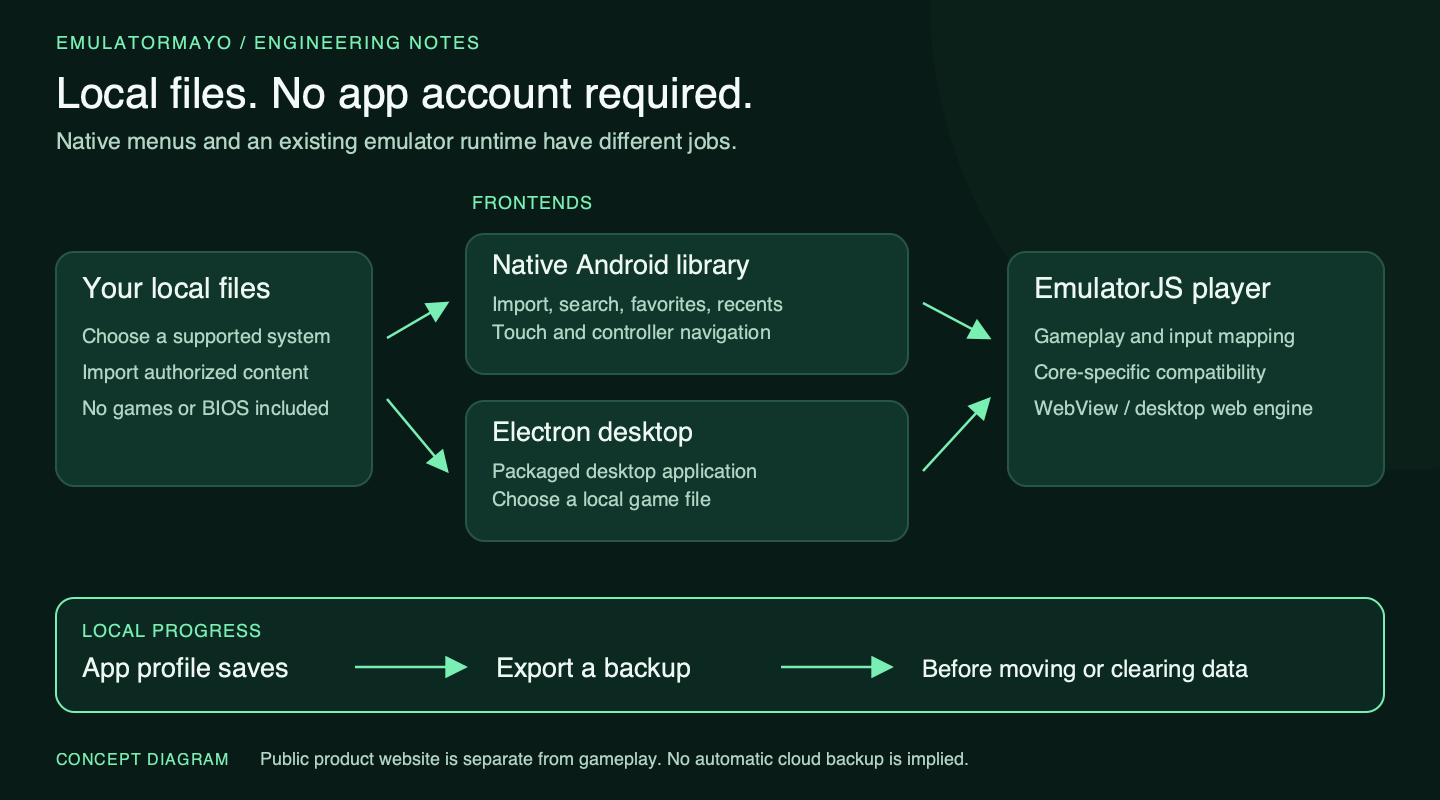
The normal local player needs your files, not an Emulatormayo account or a running server.
Give the library a native home
Early on, I kept returning to the same complaint: this feels like a browser in an app. The answer was to give Android’s main screens a native implementation. Import, search, favorites, recents, settings, and library navigation use Android Views. WebView remains responsible for gameplay. That division lets the library behave naturally while retaining the existing emulator runtime.
Native library screens do not make the emulator core native SDL code. Our later Qt Quick and SDL3 experiments are prototypes, not replacements for every released package.
A controller test is not a gameplay test
Real devices changed the work. The Retroid Pocket 5 needs visible focus and a predictable route through every action. On Steam Deck, launching through Steam is another test again.
We checked native menu navigation with the D-pad, sticks, and A/B buttons. Then we tested gameplay separately. That distinction sounds obvious after the fact, but “the controller works” can mean several things. Android may receive a button, the library may react to it, and the emulator may still map it differently.
Our choice of test content mattered too. A keyboard-oriented computer game was a poor way to answer whether a handheld’s D-pad worked. We moved through more targeted input checks and actual gameplay tests instead of treating every lack of movement as the same failure. Tests need clear expected responses.
Always leave a way back
One of the most revealing bugs was not inside an emulator core at all. Exiting the player displayed an exit message without returning to the library. Fixing playback navigation mattered as much as getting a game to boot.
Another request was simple: keep the player buttons available on the Steam Deck too. A handheld has physical controls, but sometimes I still want to click a visible action. Touch controls, player actions, and physical input serve different purposes. Hiding one should not accidentally remove the only way to bring the others back.
That led to an important pattern in our newer shared-player work: a small restore affordance that stays reachable when the rest of the screen controls are hidden. More room for the game should not mean a treasure hunt for settings. We have also been improving narrow layouts so labels stay readable instead of squeezing an entire toolbar into a row of clipped letters.
Preview mappings before applying them
The controls editor needed similar care. “Edit joystick” is only useful if I know which device, player, and game I am editing. Newer development builds preview console presets and device legends before applying anything. Saving for this game and saving a default for all games are explicit choices. Cancel should leave a custom mapping alone.
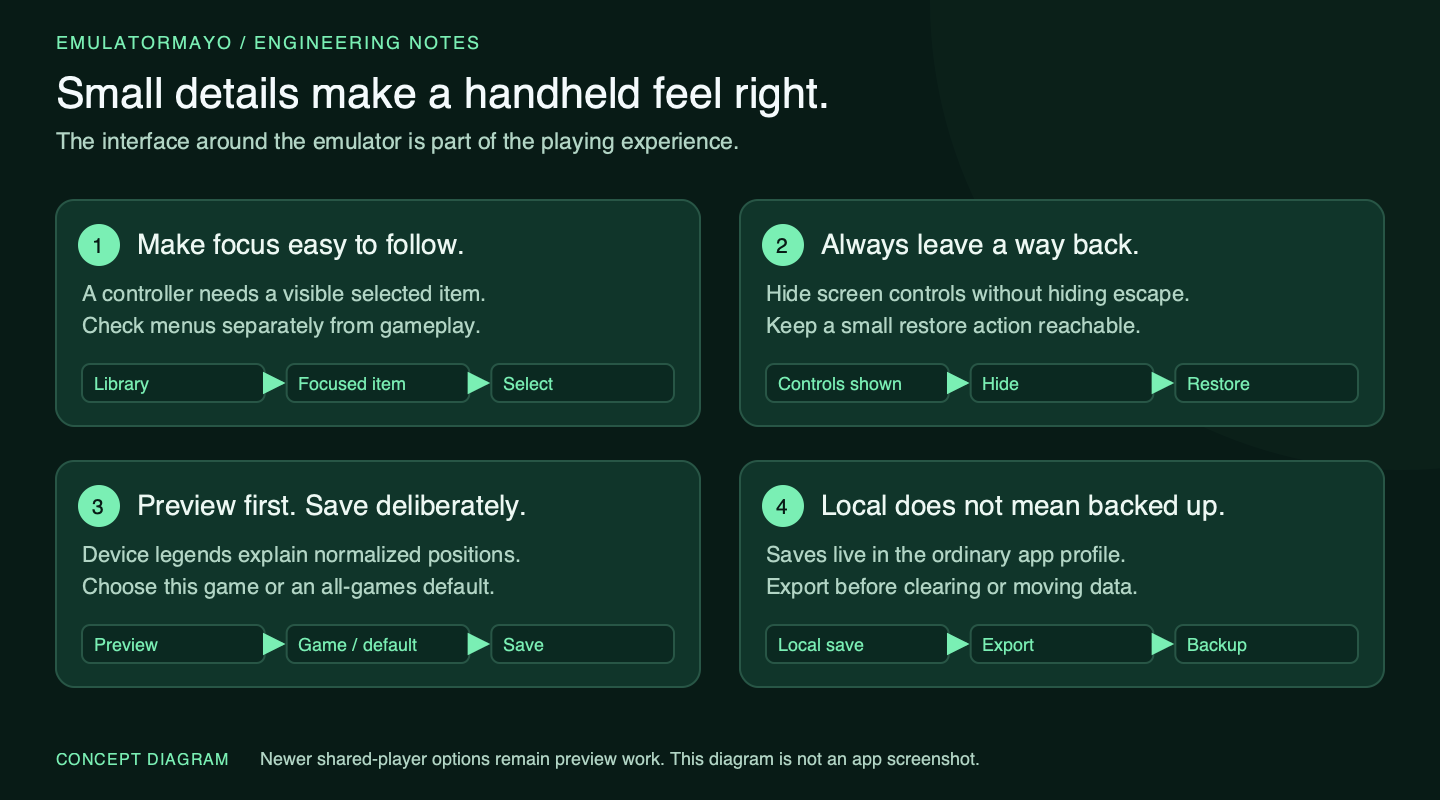
The settings around the emulator often determine whether a handheld session feels comfortable.
Our shared Android work uses normalized controller positions, with device labels to explain them, rather than guessing what an OEM printed on its buttons. The current Android mapping model has limits, including its primary-binding structure; I do not want a pretty preview promising aliases the stored mapping cannot represent.
Local saves need deliberate backups
Local storage brought another set of responsibilities. Importing a file should make the library useful, but it should not imply cloud backup. Saves belong to the app’s local profile in the ordinary player. Export them before clearing application data, uninstalling, or moving devices. A state exported by one emulator core may not load in another, even when both run the same game.
The website is separate from the player too. It explains the project, provides setup information, and helps people find the appropriate package. There is also an optional self-hosted browser player. Visiting the public product site does not upload a collection or turn it into a hosted gaming account.
Share the foundation, keep the boundaries
As the projects grew, co-op became a shared experiment rather than something to implement twice. We called that foundation Boogie Woogie. It has explored a host running the game, approved guests supplying input, and spectators receiving a stream. We have physically tested cross-device play, but the work remains a preview with specific core, save, network, and packaging boundaries.
Casting pushed those boundaries further. Showing a stream on a TV is only the beginning; buffering and controller response decide whether anyone enjoys playing. We are still measuring and improving those paths. They are development work, not a claim that the public Emulatormayo download provides a finished Chromecast multiplayer experience.
I also learned to keep a device test list specific. A successful launch is useful evidence. Menu navigation, gameplay directions, save export, and controller reconnection are different checks. Building a Windows installer in CI is not the same as physically testing every controller on Windows. Compatibility notes should tell people what we tried and what remains uncertain.
Emulatormayo includes no games or BIOS files and does not help source unauthorized downloads. Use your own authorized content and check the current setup notes. The project is an independent companion; upstream runtimes and emulator cores keep their own licenses and compatibility requirements.
My favorite part of this project is how practical the improvements have been. A clearer focus outline. A local library that does not ask for a password. A button that actually returns home. A mapping preview that waits for Save. Those are small things, but they add up to the experience I wanted: pick a game, settle into the handheld, and spend less time managing the software around it.